


Shopping Secure
2015 t/m 2026
Tweakers Awards
2022 t/m 2026
Website of the Year
2025 t/m 2026
Sustainable Choice
This product is a sustainable choice More information
Add to favorites
Redable offers you
- Free delivery from €100,-
- 14 days reflection period
- Customers rate Redable 9.2/10
- Business benefits with Rise
- More than 150,000 satisfied customers

Payment & shipping
More than 150,000 satisfied customers
Promotions and services
Need several units?
Ordering for your team or a rollout? We will gladly prepare a no-obligation quote for you, with a price tailored to your needs.
More information
Choose refurbished
Choose a refurbished device: 100% functional, with warranty and much cheaper than new. View our refurbished range.
More information
Product description
Streamlined Connection with USB Type-C
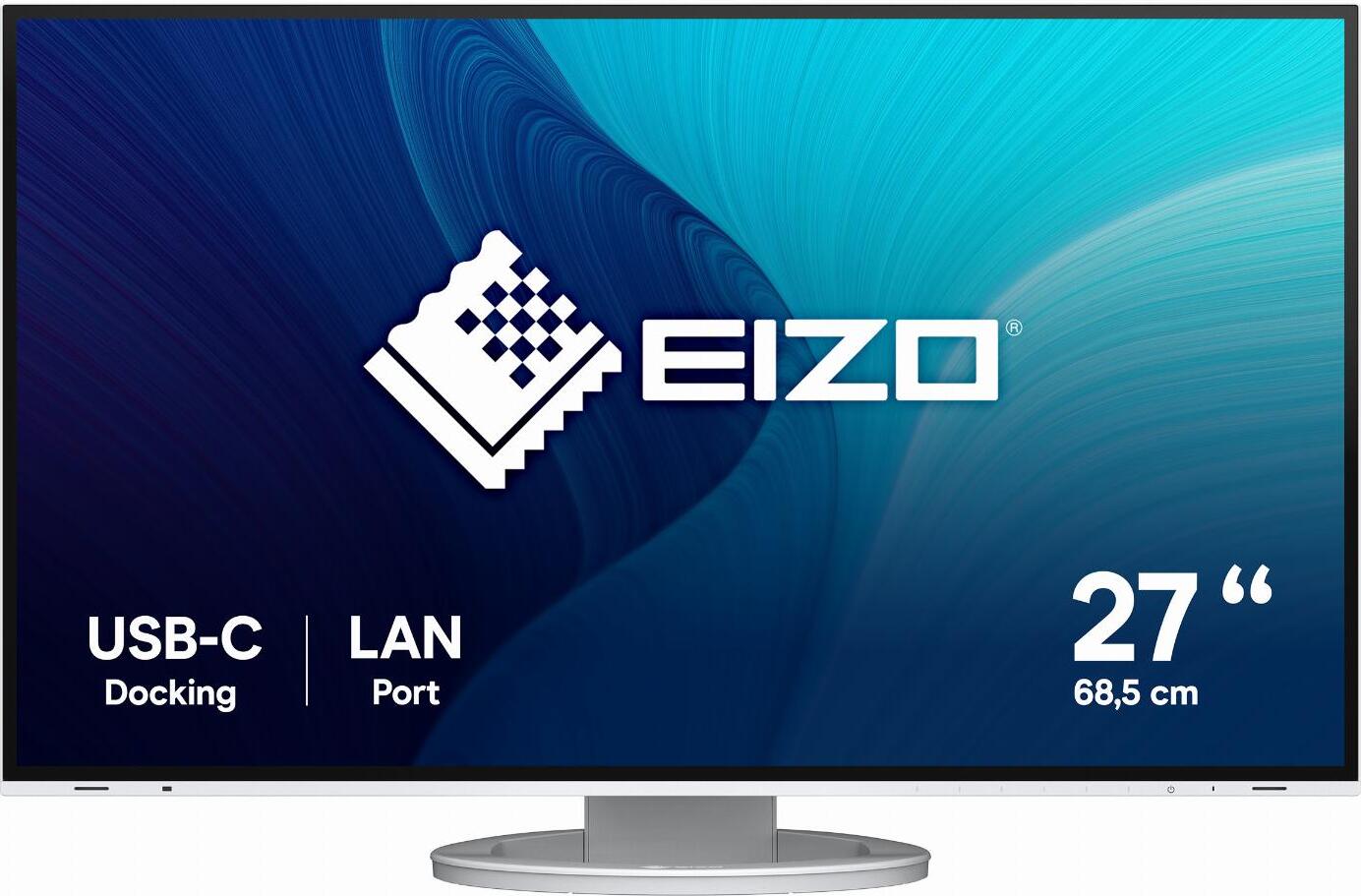
The monitor is equipped with a USB Type-C connection that allows you display video, playback audio, transmit USB signals, supply power to connected devices, and even transmit a network signal. This convenient multi-purpose connectivity makes it faster and easier to connect your laptop when moving between workstations or working away from the office.
70 W Power Delivery
The 70 W power delivery via USB Type-C reliably charges small desktop PCs or laptops such as a Microsoft Surface. This eliminates the need for a laptop's bulky power supply unit, freeing up space in your bag and on the desk.
Stable Network Connection
While many modern laptops are not equipped with a dedicated LAN port, the monitor has one directly built in for a stable wired connection. Connecting any laptop via USB Type-C allows access to the network through the monitor. This allows you to conduct conference calls or data transfers reliably and at high speed.
EIZO MAC Address Clone Utility software temporarily assigns the MAC address of a connected PC to the monitor, granting network access to authenticated devices, and preventing network access from unauthenticated devices.
Connecting Peripherals Directly
While modern laptops are becoming thinner and more portable, they often have limited connectivity options for peripherals. Connecting to the monitor via USB Type-C gives access to a hub with three USB Type-A and one USB Type-C ports for easily connecting an external keyboard, mouse, or web camera.
Efficient Multi-Screen Setup
The monitor's USB Type-C connection supports daisy chaining for easily connecting multiple monitors from a single video signal output. This allows you to effortlessly connect up to two screens and quickly view multiple applications simultaneously for boosting efficiency.
Aesthetically Pleasing Design
A monitor's aesthetic can go a long way in creating a more comfortable atmosphere. The monitor's minimalistic design and its ergonomic functions allow it to fit naturally in your work environment, whether you are at home or in the office.
Frameless and White
The monitor implements a virtually frameless design for a minimalistic aesthetic. In addition to sleek black, the cabinet is available in white for a color option that keeps your workspace feeling bright. Furthermore, EIZO provides white cables to match the cabinet for full color coordination.
Versatile Stand for Optimal Positioning
The stand has a wide adjustment range, featuring height adjustment, tilt and swivel. This allows the user to set the monitor to the perfect position. At maximum height, the user can also comfortably place a small laptop under the screen to save space in even the most limited workspaces.
Reduce Cable Clutter with Daisy Chain
Cable management becomes easier with USB Type-C. Multiple monitors can be connected in a daisy chain using the short 1 meter cable, CC100, tidying up the back of your desk for an even cleaner office aesthetic.
Say Goodbye to Tired Eyes
The monitor is equipped with functions to help users concentrate on work by keeping their eyes comfortable throughout the day.
Auto Brightness Control
To prevent eye fatigue, a brightness sensor called Auto EcoView detects the changes in the ambient brightness that occurs throughout the day and automatically adjusts the screen to the ideal brightness level.
Clear View from All Angles
The monitor uses an LED-backlit IPS (in-plane switching) LCD panel with 178° viewing angle that minimizes color shift and contrast changes when viewing the screen at an angle. This means that two people sitting at the one computer can easily see the screen with high image quality.
Reduce Blue Light by 80%
In the visible light spectrum, blue light has wavelengths adjacent to ultraviolet light. Compared to the factory preset setting of 6500 K of typical LCD monitors, Paper Mode is closer to the spectral distribution with long reddish wavelengths so it reduces the amount of blue light, a cause of eye fatigue, and helps prevent eyestrain when reading documents. When used in conjunction with Auto EcoView dimming function, blue light can be reduced by as much as 80%.
Flicker-Free Viewing
Due to the way brightness is controlled on LED backlights, a small number of people perceive flicker on their screen which causes eye fatigue. The FlexScan EV2795 utilizes a hybrid solution to regulate brightness and make flicker unperceivable without any drawbacks like compromising color stability – even on low brightness settings.
Minimum Brightness of 1 cd/m2
In a dimly-lit work environment, a monitor with low brightness settings is more comfortable to use. With its LED backlight, the monitor is adjustable to approximately 1 cd/m² which is less than 1% of the maximum.
Non-Glare Panel
A non-glare panel reduces eye fatigue by dissipating reflective light that would otherwise make the screen difficult to view from different positions.
Multiple Connections
The monitor is equipped with a USB Type-C and three USB Type-A ports for easily connecting to multiple devices without the need for a docking station. This is convenient when using a laptop with limited USB ports or for streamlining connection to workstations in hot desking or home office environments. The monitor also has HDMI® and DisplayPort inputs for further flexibility.
Built-In KVM Switch for Multiple PC Operation
The monitor's USB Type-B and Type-C upstream ports have a built-in KVM function, allowing users to use a single mouse and keyboard for up to two connected PCs for an even cleaner workspace. Furthermore, the peripherals connected to the monitor's USB hub and its network connection switch to the selected PC for a smooth operation on the selected computer.
Hassle-Free Approach
The monitor's stand is equipped with a Quick Release button that allows you to detach the screen with a single touch. It also has a convenient carrying handle on the back for easily moving the monitor. Furthermore, the cable cover on the back of the stand allows you easily manage cables, keeping the work area free of clutter.
Front-Facing Speakers
The monitor has speakers incorporated into the minimalist front bezel, ensuring that sound is focused on the user and not on people behind the monitor.
Exceptional Image Reproduction
The monitor converts the data from an 8-bit input signal and selects the optimal gradations for smooth image display. Furthermore, each monitor is individually measured and adjusted at the factory prior to shipping for exceptional image quality out of the box.
5-Year Warranty
Short specifications
- Display diagonal68,6 cm (27") display diagonal
- Resolution2560 x 1440 pixels resolution
- Response time5 ms Response time
- HD typeQuad HD
Questions about this product?
How can I help you? This EIZO FlexScan is a 27-inch Quad HD monitor for the office.
Product list changed. Ask again for these products.
Advice and inspiration

We hear more and more about 'device as a service' (DaaS), but what exactly is it? In this blog article we provide a detailed explanation of DaaS and tell you whether it is something for your company.
Specifications
General
DPN
EIZ-EV2795-WT
Merk
EIZO
MPN
EV2795-WT
EAN
4995047056645
Fabrieksgarantie
5-Year Warranty
Product type seo
EIZO FlexScan
Duurzame Keuze
Yes
Display
Pixel density
109 ppi
Backlight type
W-LED
Screen shape
Flat
Colour gamut standard
sRGB
HDCP
Yes
Maximum refresh rate
60 Hz
Digital vertical frequency
59 - 61 Hz
Digital horizontal frequency
31 - 89 kHz
Viewable size diagonal
68.5 cm
Viewable size, vertical
33.6 cm
Viewable size, horizontal
59.7 cm
Pixel pitch
0.233 x 0.233 mm
Display number of colours
16.78 million colours
Native aspect ratio
16:9
Viewing angle, vertical
178°
Viewing angle, horizontal
178°
Contrast ratio (typical)
1000:1
Supported graphics resolutions
640 x 480 (VGA), 720 x 400, 800 x 600 (SVGA), 1024 x 768 (XGA), 1280 x 1024 (SXGA), 1600 x 1200 (UXGA), 1680 x 1050 (WSXGA+), 1920 x 1080 (HD 1080), 1920 x 1200 (WUXGA), 2560 x 1440
Anti-glare screen
Yes
Panel type
IPS
Display technology
LCD
HD type
Quad HD
LED backlight
Yes
Response time
5 ms
Display resolution
2560 x 1440 pixels
Display brightness (typical)
350 cd/m²
Display diagonal
68,6 cm (27")
Multimedia
RMS rated power
2 W
Number of speakers
2
Built-in camera
Nee
Built-in speaker(s)
Ja
Performance
Flicker free technology
Yes
Low Blue Light technology
Yes
NVIDIA G-SYNC
Nee
AMD FreeSync
Nee
Design
Feet colour
White
Product colour
Wit
Market positioning
Kantoor
Network
Ethernet LAN (RJ-45) ports
1
Ethernet LAN data rates
10,100,1000 Mbit/s
Ethernet LAN
Yes
Poorten & interfaces
Headphone out
Yes
Built-in KVM switch
Yes
Headphone connectivity
3.5 mm
Headphone outputs
1
Audio input
Ja
DisplayPorts quantity
1
HDMI ports quantity
1
DVI port
Nee
USB Power Delivery (USB PD)
Yes
USB Type-C DisplayPort Alternate Mode
Yes
USB Type-C downstream ports quantity
1
USB Type-A downstream ports quantity
3
Number of upstream ports
2
USB upstream port type
USB Type-B, USB Type-C
USB hub version
3.2 Gen 1 (3.1 Gen 1)
USB Power Delivery up to
70 W
Number of USB Type-C upstream ports quantity
1
Number of USB Type-B upstream ports quantity
1
Built-in USB hub
Ja
Ergonomics
Tilt adjustment
Yes
On Screen Display (OSD) languages
German, English, Spanish, French, Italian, Swedish
Pivot angle
-90 - 90°
Pivot
Yes
On Screen Display (OSD)
Yes
Height adjustment
Ja
Tilt angle range
-5 - 35°
Swivel angle range
0 - 344°
Swivelling
Yes
Panel mounting interface
100 x 100 mm
VESA mounting
Yes
Cable lock slot type
Kensington
Cable lock slot
Yes
Adjustable height (max)
17.7 cm
Energy
Power consumption (typical)
16.1 W
Power consumption (standby)
0.5 W
Power consumption (max)
164 W
AC input frequency
50/60 Hz
AC input voltage
100 - 240 V
Energy consumption (SDR) per 1000 hours
16 kWh
Energy efficiency scale
A to G
Energy efficiency class (SDR)
D
Requirements for the environment
Storage relative humidity (H-H)
10 - 90%
Storage temperature (T-T)
-20 - 60 °C
Certificates
Certification
CE, UKCA, CB, TÜV/GS, TÜV/Ergonomics (including ISO 9241-307), TCO Certified Generation 10, EPEAT 2018 (US), TÜV/Blue Low Light Content, TÜV/Flicker Free, RCM, cTÜVus, FCC-B, CAN ICES-3 (B), TÜV/S, PSE, VCCI-B, EPA ENERGY STAR, RoHS, WEEE, China RoHS, CCC
Weight and size
Height (with stand)
369 mm
Depth (with stand)
230 mm
Width (with stand)
611 mm
Weight (without stand)
5.7 kg
Contents of the package
Cables included
AC, USB Type-C to USB Type-C
Quick start guide
Yes
Stand included
Yes
Logistic data
Harmonized System (HS) code
85285210
Other specifications
Height (without stand)
357 mm
Depth (without stand)
56 mm
HDMI
Yes
Automatic brightness control
Yes
Width (without stand)
611 mm
Look-up table (LUT) bit depth
14
Technical details
Sustainability certificates
ENERGY STAR, EPEAT Climate +, EPEAT Gold, TCO
Sustainability compliance
Yes
Warranty period
5 year(s)
Compliance certificates
CB, CCC, CE, China RoHS, Federal Communications Commission (FCC), GS mark, ICES, PSE, RCM, RoHS, cTUVus, UKCA, VCCI, WEEE
Weight (with stand)
8.5 kg
Touchscreen
No
Sustainability
European Product Registry for Energy Labelling (EPREL) code
356881
Accessories

Neomounts DS22-840BL6 Desk socket with clamp and USB-C and USB-A ports - Quick charge
Retail price 55,66 46,- 38,72 32.00

Neomounts DS60-600BL1 Monitor arm 10-32" - Quick-fix - 180°-stop
Retail price 62,92 52,- 42,35 35.00

Neomounts DS60-600BL2 Monitor arm 10-32" - Quick-fix - 180°-stop
Retail price 82,28 68,- Regular Price 53,24 Special Price 52,03 43.00

Neomounts DS70-250BL2 Monitor arm 17-32" - gas spring - Topfix - 180°-stop
Retail price 277,09 229,- Regular Price 163,35 Special Price 143,99 119.00

Neomounts DS70PLUS-450BL1 Monitor arm 17-49" - gas spring - Topfix - 180°-stop
Retail price 233,53 193,- Regular Price 153,67 Special Price 145,20 120.00