


Shopping Secure
2015 t/m 2026
Tweakers Awards
2022 t/m 2026
Website of the Year
2025 t/m 2026
Add to favorites
Redable offers you
- Free delivery from €100,-
- 14 days reflection period
- Customers rate Redable 9.2/10
- Business benefits with Rise
- More than 150,000 satisfied customers

Payment & shipping
More than 150,000 satisfied customers
Promotions and services
Need several units?
Ordering for your team or a rollout? We will gladly prepare a no-obligation quote for you, with a price tailored to your needs.
More information
Choose refurbished
Choose a refurbished device: 100% functional, with warranty and much cheaper than new. View our refurbished range.
More information
Product description
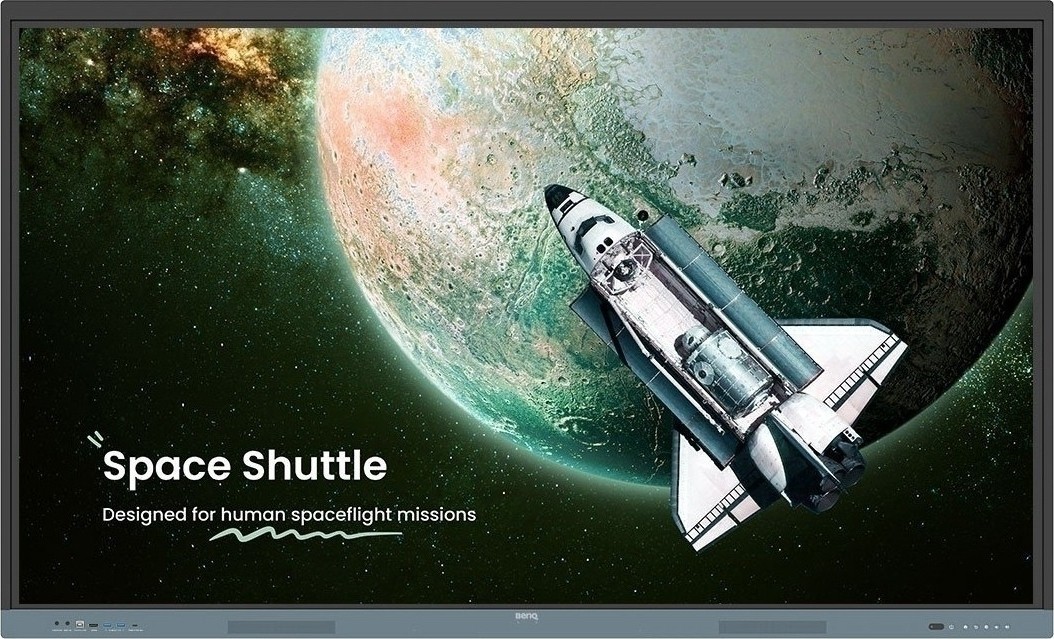
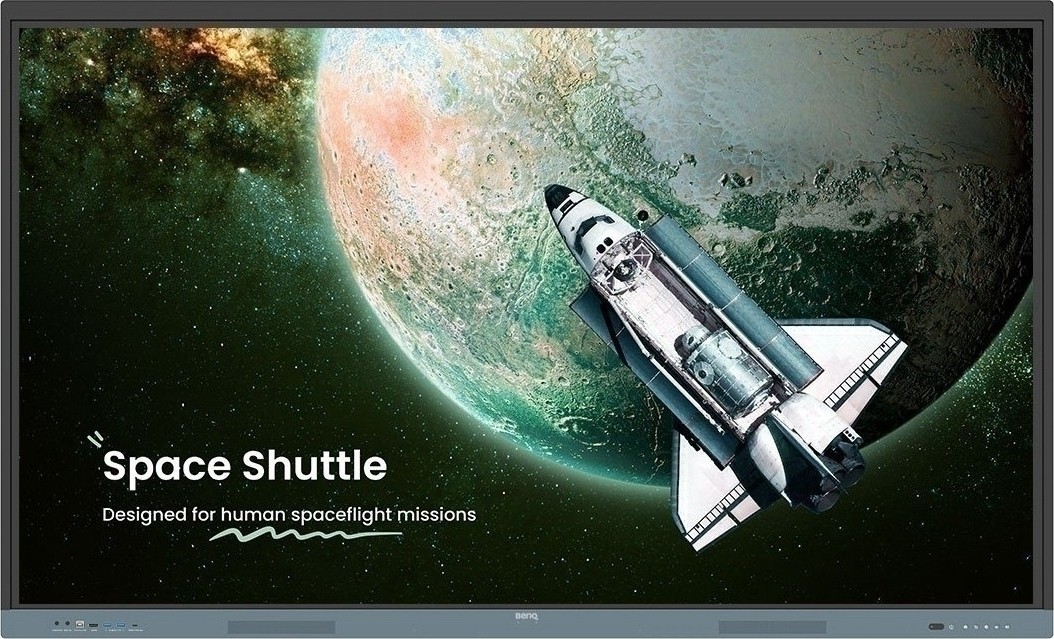
BenQ Board Essential
The essence of education
Have all the essential tools you need for effective interactive lessons.
Harness the power of Google
The EDLA-certified BenQ Board combines Google services with ever-reliable BenQ hardware and software.
Expansive app library
Install education apps directly from Google Play for more interactive lessons.
Go-to Google services
Access essential Google Core Services such as Google Drive and Meet.
Google Docs editors
Quickly open lesson files with any Google app on a large touchscreen display.
Direct file access
Google Drive integration lets you access and save files to your cloud storage directly from the board.
Built-in data security
Keep your boards safe against security and privacy threats with Google Play Protect and Safe Browsing.
A whiteboard like no other
Do more than just write or draw. EZWrite’s expandable canvas offers limitless possibilities with its rich collection of lesson tools and helpful AI features.
Use your own files
Import a variety of lesson files, interact with its contents on the whiteboard, and then export the session as an editable file for a future class.
A tool for every need
Pull up any of EZWrite’s built-in tools that are designed to engage students, and meet a wide variety of lesson activities and subjects.
Take lessons to the cloud
Extend the whiteboard so that others can participate and interact with the board whether they’re joining from their seats or from home.
Built-in AI tools for more inclusive lessons
Text-to-speech
Have displayed text read aloud
Multilingual translation
Translate text with a tap
OCR
Edit text from imported images
Essential tools for every teacher
The RE04 uncomplicates your teaching experience by giving you everything you need on one board.
Your own space and data
All accounts are secure and separate—allowing you to have your own teaching space while preventing others from accessing your data.
Organise with ease
Save time by having all your most-used apps, files, and widgets arranged and accessible directly from your home screen.
Snap. Record. Write.
The Floating Tool lets you take snapshots, record your screen, and annotate over any app, file, webpage, or video displayed on the board.
Sidebar access
Expand the sidebar for convenient access to recent apps, files, and input sources, as well as a shortcut to the home screen.*Available in Q2.
Expanded search
Use BenQ Search to quickly query related content from the internet or sort through your lessons files stored on the board or your cloud.
Enhance your lesson flow
Increase teaching efficiency with the multi-window mode, allowing you to whiteboard while using other apps on the side. *Available in Q3.
5-in-1 connectivity
The multipurpose USB-C port allows for quick data transmission, clear audio/video playback, touchback controls, and 65-watt charging.
Full vibrant audio
Experience enhanced audio with the board’s built-in 20-watt speakers that offer crisp, room-filling sound.
All hands on board
The BenQ Board Essential’s large interactive screen is designed for whole-class participation, letting you boost engagement and liven up your lessons.
40 touch points
Get everyone actively participating in class with the RE04’s 40 touch points.
Gap-free writing
No gaps and an 8ms response time ensure a natural writing experience every time.
Precise touch
You’re guaranteed smooth interactions with the board’s Precision IR technology.
Everyone can share
InstaShare 2 lets everyone share ideas freely. Wirelessly cast lesson content and interact with any device from anywhere in the room.
Beyond screen sharing
Do more than just cast your screen. Media sharing makes lessons more dynamic. Share photos, videos, or even a live camera feed from your device directly to the board.
Moderate sessions with ease
Host controls allow you to effectively manage your sessions. Accept or reject sharing requests and show or hide screens, while the AI Guardian automatically blocks nude content.
Management made easy
BenQ takes out the complexity from device and user list management, significantly reducing IT workload so they can focus on other tasks.
Effortless user list syncing
Simplify identity management by syncing any of your existing Google Workspace, Entra ID (formerly Azure Active Directory), ClassLink, LDAP, or SAML-based user lists.
Centralised management
Remotely manage all your BenQ devices on an all-in-one console that lets you install, update, and delete apps, push firmware updates, and automate tasks such as startup and shutdown.
Enhanced data security
Safeguard your data through the RE04’s secure login options and access controls, regular system updates, and built-in Google Play Protect and Safe Browsing measures.
Data-driven efficiency
Generate specific and comprehensive device analytics so you can monitor how your boards are being utilised and adjust usage guidelines to maximise efficiency.
School-wide announcements
With X-Sign Broadcast, you can send out timely announcements to all your BenQ displays. Inform your school about upcoming events, important reminders, and emergencies.
ClassroomCare®
Bridging health and learning
ClassroomCare features are essential in helping schools create healthier learning spaces for students and teachers.
Easy on the eyes
Eye care technologies, such as the RE04’s low blue light filter and flicker-free screen, help reduce eye strain in class, while its anti-glare 4K screen ensures clear images every time.
IP5X dust protection
The IEC 60529-complaint RE04 screen prevents dust accumulation even in the most dust-prone environments.
Customer reviews
Short specifications
- Screen diagonal190,5 cm (75") screen diagonal
- Display typeIPS display type
- Screen quality4K Ultra HD screen quality
- Brightness450 cd/m² brightness
- Resolution3840 x 2160 pixels resolution
- Response time8 ms response time
Questions about this product?
How can I help you? This BenQ display is a 75-inch screen for clear presentations.
Product list changed. Ask again for these products.
Advice and inspiration

We hear more and more about 'device as a service' (DaaS), but what exactly is it? In this blog article we provide a detailed explanation of DaaS and tell you whether it is something for your company.
Specifications
General
DPN
BNQ-9H.F9FTK.DE
Merk
Benq
MPN
9H.F9FTK.DE
EAN
4718755093852
Duurzame Keuze
No
Display
Anti-glare screen
Yes
RGB colour space
NTSC
Native aspect ratio
16:9
Surface hardness
9H
Active display area (W x H)
1649.7 x 927.9 mm
Contrast ratio (dynamic)
30000:1
Contrast ratio (typical)
1200:1
Response time
8 ms
Touchscreen technology
Infrared
Touchscreen
Ja
HD type
4K Ultra HD
Display brightness
450 cd/m²
Display resolution
3840 x 2160 pixels
Display diagonal
190,5 cm (75")
Characteristics
Harmonized System (HS) code
8528521000
Audio
RMS rated power
40 W
Number of built-in speakers
2
Built-in speaker(s)
Yes
Performance
Panel life
50000 h
Wi-Fi
No
Purpose
Onderwijs
Ports & interfaces
OPS module slot
Yes
USB version
2.0/3.2 Gen 1 (3.1 Gen 1)
DisplayPorts quantity
1
USB ports quantity
8
Microphone in
Yes
USB port
Yes
RS-232 interface
Yes
Ethernet LAN (RJ-45) ports
2
VGA (D-Sub) input ports
1
DVI port
No
HDMI version
2.0
Ethernet LAN data rates
10,100,1000 Mbit/s
HDMI output ports quantity
1
HDMI input ports quantity
3
HDMI ports quantity
4
Ethernet LAN
Y
Design
Placement supported
Indoor
Orientation
Horizontal
Panel mounting interface
800 x 400 mm
VESA mounting
Yes
Screen shape
Flat
Product colour
Zwart, Grijs
Product design
Interactief flatscreen
Energy
AC input frequency
50 - 60 Hz
AC input voltage
100 - 240 V
Power consumption (standby)
0.5 W
Power consumption (typical)
73.9 W
Requirements for the environment
Storage relative humidity (H-H)
10 - 80%
Storage temperature (T-T)
-10 - 60 °C
Computer system
Internal storage capacity
64 GB
On-board graphics adapter model
ARM Mali-G52
Internal memory
4 GB
Processor cores
4
Processor architecture
ARM Cortex-A53+Cortex-A73
Built-in processor
Yes
Computer system
Yes
Weight and size
Display weight
50 kg
Display height
1041.6 mm
Display depth
87.7 mm
Display width
1716.5 mm
Packaging
Package weight
65 kg
Package height
1120 mm
Package depth
1860 mm
Package width
180 mm
Cables included
HDMI, USB, VGA
Mounting kit
Yes
Stylus pen
Yes
Number of stylus pens
2
Remote control included
Yes
Technical details
Number of simultaneous touchpoints
40
USB connector type
USB Type-A, USB Type-B, USB Type-C
DisplayPorts in
1
DisplayPort version
1.2
Panel type
IPS
Ambient light sensor
Yes
Other specifications
Card reader integrated
Yes
Compatible memory cards
MicroSD (TransFlash)
Logistic data
Products per pallet
6 pc(s)
Country of origin
China