


Shopping Secure
2015 t/m 2026
Tweakers Awards
2022 t/m 2026
Website of the Year
2025 t/m 2026
Brand: QNAP
MPN: TS-233+2XMN10ADA600S
Add to favorites
Redable offers you
- Free delivery from €100,-
- 14 days reflection period
- Customers rate Redable 9.2/10
- Business benefits with Rise
- More than 150,000 satisfied customers

Payment & shipping
More than 150,000 satisfied customers
Promotions and services
Need several units?
Ordering for your team or a rollout? We will gladly prepare a no-obligation quote for you, with a price tailored to your needs.
More information
Choose refurbished
Choose a refurbished device: 100% functional, with warranty and much cheaper than new. View our refurbished range.
More information
Product description
TS-233
Build a personal private cloud & home multimedia center with a built-in NPU to boost AI-powered face recognition
TS-233
ARM 4-core Cortex-A55 2.0GHz processor, 2 GB, not expandable
Minimalist design
The compact and slim TS-233 prioritizes a clean and essential design, and perfectly blends into your home or office. The design extends to the hard drives, which can be installed without needing a screwdriver.
Effective cooling fan for heat flow
The TS-233 is small in size and remains high-performance, cool, and quiet with an effective cooling fan.
64-bit Cortex-A55 quad-core 2.0 GHz CPU NAS for everyday use and collaboration
Powered by a ARM® Cortex-A55 quad-core 2 GHz processor, built-in 2 GB RAM, one Gigabit LAN port, and supports two SATA 6Gb/s hard drives, the TS-233 provides dependable read/write performance for running various home and business NAS applications. The TS-233 features AES-NI 256 hardware-accelerated encryption for both full NAS volumes and shared folders, boosting system performance while securing sensitive data.
NPU accelerates on-device AI performance. 6x Faster face recognition.
With a built-in NPU (Neural network Processing Unit) processor, the TS-233 boosts QNAP AI Core (the AI-powered engine for image recognition) performance for high-speed face and object recognition.
QTS 5, Fast, smooth, and easy-to-use!
The TS-233 comes with the QTS 5 operating system as standard, providing a next-generation usage experience with an updated system kernel, optimized user interface, and advanced security features.
Brighter. Smoother. You’ll like it.
When navigating QTS 5, you will notice a finer attention to detail for a superior browsing experience. Enjoy a smoother NAS experience, comfortable visual design, and find your favorite apps quicker.
Get started with the notice board
When performing first-time installation, the notice board guides you through the setup process. Simply follow the step-by-step instructions for a quick and easy setup.
Smooth and reactive user interface
Whether clicking buttons, switching between apps, expanding/collapsing windows – every action is much smoother. The search bar in the main menu also assists in quickly finding desired apps.
An easy-to-use, all-in-one backup solution
The TS-233 can do many things, but at its heart is a complete backup solution to protect your files and data. By regularly backing up your files and device content, you can make data loss a thing of the past.
Back up Windows®/Mac® files
For Windows®, install NetBak Replicator to back up your PC to the TS-233. In macOS®, simply set up the built-in Time Machine® to back up files to NAS.
Back up photos on mobile devices
Install Qfile or QuMagie mobile app and enable the “auto-upload” function. Photos will be automatically uploaded to your TS-233 as soon as they are taken.
Back up USB drives & external hard drives
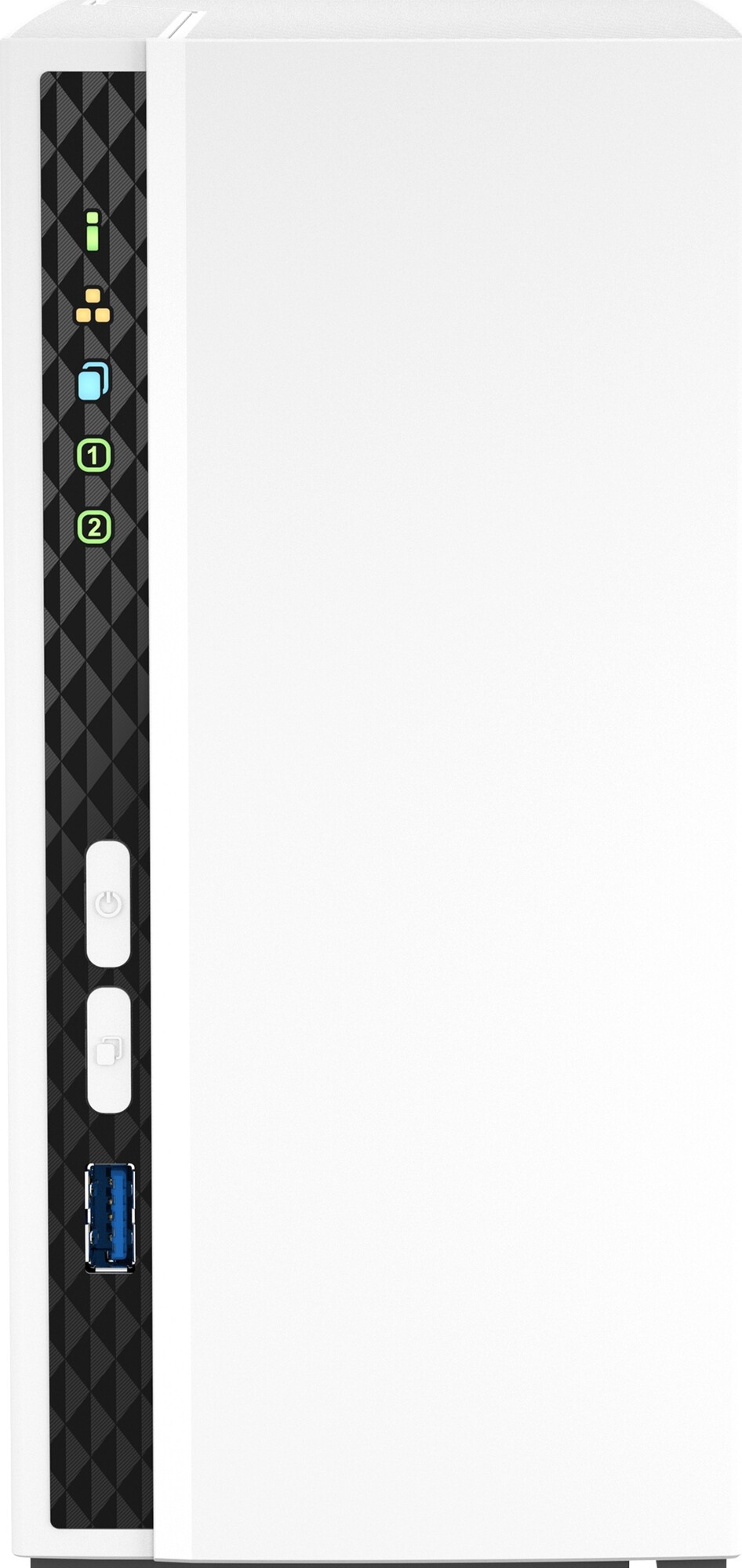
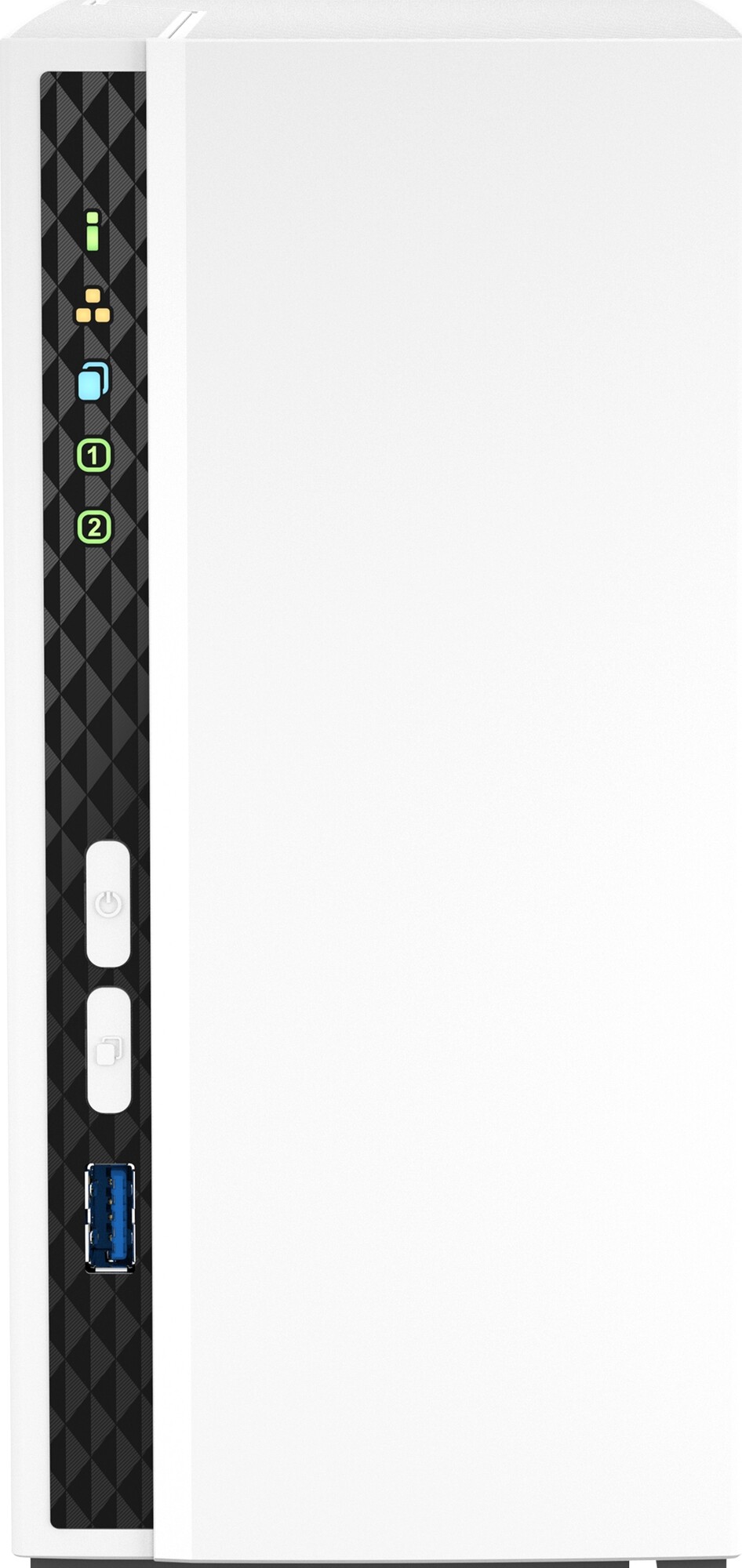
Simply plug in the storage device to the front USB port of the TS-233 and press the One-Touch Copy button to back up all files to the NAS.
Back up Google Drive™
Hybrid Backup Sync can safely back up files and data from Google Drive™ to the TS-233, helping you save money on cloud storage costs.
Back up NAS files to the cloud
Hybrid Backup Sync supports all your favorite public cloud services, allowing you to effortlessly back up or sync NAS files to cloud storage.
Back up NAS files to remote sites
With Hybrid Backup Sync, you can easily backup or sync files and data from the TS-233 to a remote QNAP NAS or server for multiplied data protection.
Protect your data from ransomware threats with Snapshots
Snapshots are an advanced backup method and are normally reserved for high-end business NAS. QNAP provides snapshots as standard for all NAS – including the TS-233. Snapshots work by recording the current state of the system, allowing it to be restored back this state at any time - greatly helping in mitigating the threat of ransomware.
Centrally store and protect your huge multimedia collection
The TS-233 is your private personal cloud for your movies, videos, photos, and files that are securely at your fingertips anywhere and anytime.
Storage for music collections
Use Music Station to collect and play lossless music, sing along with lyrics, and share albums, playlists or folders with friends and family. You can also put tons of music right in your pocket using the Qmusic mobile app.
Store high-resolution videos
Centrally collect GoPro diaries, videos of your family, friends, and pets in Video Station, and easily share your favorites. Take all your videos with you on your mobile devices using the Qvideo mobile app.
Enhanced multimedia experience
The TS-233 supports ARM NEON technology to accelerate video processing for a greater entertainment experience. Stream media files from the TS-233 to DLNA® devices and TVs using common media streaming devices including Roku®, Apple TV® (via Qmedia), Google Chromecast™, and Amazon Fire TV®.
Tips for a more productive workday
With a wide range of awesome apps, you can easily access files from various devices, instantly synchronize files with friends’ or colleague’s devices, quickly find specific files, and automatically organize your documents and media files. You can also map the TS-233’s shared folders as network drives on your computers, making accessing NAS files easy and intuitive. The TS-233 helps you save time while being more efficient and productive.
File Station
Easily manage files stored in your TS-233 using the web-based File Station. The Qfile companion mobile app also puts all your files at your fingertips, providing a complete personal cloud service that is accessible from anywhere!
Qsync
Qsync is a perfect replacement of Dropbox®, allowing you to synchronize files with computers and mobile devices belonging to your family, friends, colleagues, and clients.
Qfiling
Save time organizing and archiving your files with Qfiling. Simply categorize your files, set a schedule, and Qfiling will automatically organize and archive them.
Access your NAS from anywhere
The myQNAPcloud service enables quick and easy remote access to your TS-233, allowing you to be always connected without needing to configure complex network settings. With myQNAPcloud Link you are provided with a unique domain name for your TS-233, and will automatically connect using the best method based on your network environment.
Protect your data with higher security
The TS-233 provides advanced privacy and security settings but is easy to set up and use. Besides IP blocking and HTTPS connectivity, there are more apps that help ensure an optimal level of NAS protection against threats like malware and hackers.
2-step verification
When activated, anyone who logs in to the TS-233 must enter a one-time verification code after their username and password.
Advanced folder permissions
Easily manage folder permissions, specifying read, read/write, and deny access of individual users to each folder and subfolder.
QuFirewall protection
Supports IPv6, firewall access lists, and GeoIP filtering to restrict access based on geographical locations for higher NAS network security.
Superior security with QVPN
A virtual private network (VPN) allows secure access to network resources and services across public networks. QVPN supports creating a VPN client, using the TS-233 as a VPN server, and WireGuard® VPN service with an easy-to-use interface for setting up a secure connection.
Security Counselor
A security portal for the TS-233 to check for weaknesses and offer recommendations for enhancing NAS security. It also integrates anti-virus and anti-malware scanning software.
Host container applications
If you are curious about Docker or are a hobbyist developer, Container Station on the TS-233 integrates Docker® lightweight virtualization technology, allowing you to run all kinds of self-contained applications. You can download apps from the built-in Docker Hub®, including popular and fully-configured applications, and deploy them with just one click. From smart homes to multimedia applications, you can explore your creativity and bring containerized applications to life.
Besides Container Station, more apps (including tools for backup/sync, content management, communications, download, and entertainment) are available from the App Center. Simply click and install on-demand to further extend the functionality of your TS-233.
Flexible and economical storage expansion
QNAP provides easy and affordable solutions to expand your NAS storage capacity.
Attach QNAP expansion enclosures
Connect expansion enclosures to the TS-233, and manage NAS storage expansion with the user-friendly Storage & Snapshots Manager app.
Mount cloud storage or remote file servers
Mount cloud storage or remote file servers to expand the capacity of the TS-233 while also centrally managing files on the NAS, cloud storage, and remote devices.
Migrate to a new NAS
Install your NAS hard drives into a larger QNAP NAS and retain all your existing data and configurations.
Upgrade RAID capacity
Hot-swap lower-capacity drives with larger-capacity drives to expand your NAS capacity so it can grow with your files and multimedia collections.
More productivity-boosting applications
The TS-233 provides an App Center that includes feature-rich apps to expand your NAS potential!
QmailAgent
Centralize multiple email accounts and protect your data by using secondary backup, making managing and backing up emails absolutely easy.
Qcontactz
Centrally manage all your contacts, import contacts from Google™, import/export contact information using CSV or vCard files, and enjoy an always-online database of contact information.
Qmiix
An Integration Platform as a Service (iPaaS) solution that enables you to connect apps and devices with QNAP NAS for automating daily tasks for greater productivity.
Questions about this product?
How can I help you? This QNAP NAS provides simple central storage for file sharing.
Product list changed. Ask again for these products.
Advice and inspiration

We hear more and more about 'device as a service' (DaaS), but what exactly is it? In this blog article we provide a detailed explanation of DaaS and tell you whether it is something for your company.
Specifications
General
DPN
11541965
Merk
QNAP
MPN
TS-233+2XMN10ADA600S
Duurzame Keuze
No
Storage media
Bad block scan
Yes
Disk roaming
Yes
Supported file systems
FAT32, exFAT, HFS+, NTFS, ext3, ext4
Hot-swap drive bays
Yes
RAID rebuild
Yes
Online RAID expansion
Yes
Online RAID migration
Yes
RAID levels
0, 1, JBOD
RAID support
Yes
Storage drive size
3.5
Storage drive sizes supported
2.5,3.5
Storage drive capacity
6 TB
System drive sizes supported
2.5,3.5
Storage drive interface
Serial ATA III
Supported storage drive interfaces
Serial ATA II, Serial ATA III
Number of storage drives supported
2
Supported storage drive types
HDD & SSD
Number of storage drives installed
2
Installed storage drive type
HDD
Storage drives installed
Nee
Total installed storage capacity
12 TB
Processor
Number of processors supported
1
Processor cores
4
Processor frequency
2 GHz
Processor model
Cortex-A55
Memory
Flash memory
4000 MB
Maximum RAM supported
2 GB
Internal memory
2 GB
Network
Supported network protocols
IPv4, IPv6
Dynamic DNS (DDNS)
Yes
Wake-on-LAN ready
Yes
iSCSI support
Yes
Jumbo frames support
Yes
DHCP server
Yes
Ethernet LAN data rates
10,100,1000 Mbit/s
Ethernet LAN
Y
Ports & interfaces
USB 3.2 Gen 1 (3.1 Gen 1) Type-A ports quantity
1
USB 2.0 ports quantity
2
USB port
Ja
Ethernet LAN (RJ-45) ports
1
Design
LED indicators
HDD, LAN, Status, USB
Fan diameter
8 cm
Number of fans
1 fan(s)
Product colour
White
Cooling type
Active
Chassis type
Tower
Performance
Access Control List (ACL)
Yes
S.M.A.R.T. support
Yes
Security algorithms
256-bit AES, 802.1x RADIUS, FIPS 140-2, HTTPS, SSH, TTLS
Built-in FTP server
Yes
System log
Yes
Hot spare
Yes
Disk scan
Yes
Web-based management
Yes
On/off switch
Yes
USB copy function
Yes
Browser supported
Apple Safari, Google Chrome, Microsoft Edge, Mozilla Firefox
Remote administration
PPTP, L2TP/IPSec, OpenVPN, WireGuard, QBelt
Multilingual support
Yes
Buzzer
Yes
Backup features
Cloud, USB drive, iSCSI LUN
Backup function
Yes
Device class
Home & Home Office
Type
NAS
Energy
Fan voltage
12 V
AC input frequency
50 - 60 Hz
AC input voltage
100 - 240 V
Power consumption (sleep)
3.43 W
Power consumption (typical)
10.81 W
Number of power supply units
1
Power supply unit (PSU) capacity
65 W
Power supply location
External
Weight and size
Height
188.6 mm
Depth
156.3 mm
Width
90.2 mm
Requirements for the environment
Storage temperature (T-T)
-20 - 70 °C
Contents of the package
Power cables quantity
1
Cables included
AC, LAN (RJ-45)
External power adapter
Yes
Technical details
Harmonized System (HS) code
84714100