


Thuiswinkel Waarborg
2015 t/m 2026
Tweakers Awards
2022 t/m 2026
Website van het Jaar
2025 t/m 2026
Toevoegen aan favorieten
Redable biedt
- Gratis verzending vanaf €100,-
- 14 dagen bedenktermijn
- Klanten geven Redable een 9.2/10
- Zakelijke voordelen zoals Rise
- Meer dan 150.000 tevreden klanten

Betaling & verzending
Meer dan 150.000 tevreden klanten
Acties en services
Meerdere stuks nodig?
Bestel je voor je team of een uitrol? Dan stellen wij graag een vrijblijvende offerte voor je op, met een prijs op maat.
Meer informatie
Kies voor Refurbished
Kies voor een refurbished apparaat: 100% functioneel, met garantie en flink goedkoper dan nieuw. Bekijk ons refurbished aanbod.
Meer informatie
Productomschrijving
A Shortcut to Creators’ Workflow
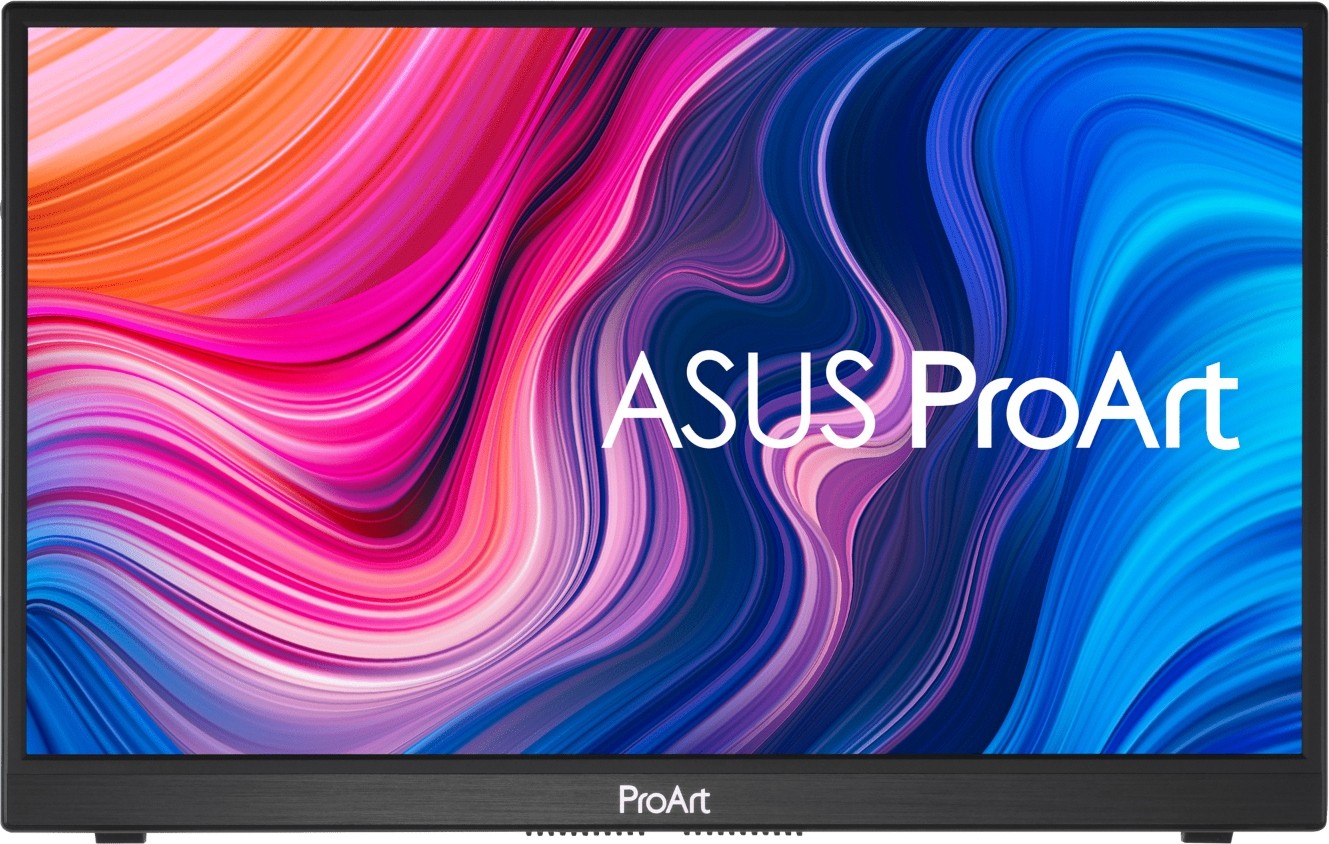
ASUS ProArt PA148CTV is a 14-inch FHD portable monitor designed for creators. Its ASUS Dial and Virtual Control Panel streamlines the creative process with shortcuts and programmable hotkeys that work seamlessly with Adobe creative tools. PA148CTV delivers exceptional color thanks to 100% sRGB and 100% Rec. 709 color spaces, and it is world’s 1st portable monitor that reach Calman Verified certification and factory pre-calibrated to provide a Delta E < 2 color difference. The anti-glare IPS panel features wide viewing angles with minimal color shift, even when viewed from off-center positions.
Built for Creators
PA148CTV offers a host of features to help you get the most out of creative pursuits. The ASUS Dial and the Virtual Control Panel provide shortcuts and hotkeys to popular Adobe software, allowing you to work more efficiently. The Calman Verified PA148CTV has a Delta E < 2 color value and wide color gamut to ensure the colors you see are true to life. ProArt Preset software lets you quickly adjust color gamut, while ProArt Palette lets you adjust various color settings.
Creativity with a Spin
ASUS Dial is a physical dial at the rear of the display that works seamlessly with compatible Adobe software and Microsoft Surface Dial controls, allowing you to make adjustments while keeping focused on the task at hand. The integrated on screen display (OSD) controller allows you to make monitor adjustments quickly and easily.
Works with
Adobe Software
ASUS Dial is designed to work with compatible Adobe software* (for example, Adobe Photoshop, Photoshop Lightroom Classic, Premiere Pro and After Effects). Turning the dial gives you access to customized shortcuts for tasks such as zooming in and out of images and adjusting brush size or brightness settings. You can even tailor the default interface to suit your own work style.
*Support for additional Adobe software will be available in the future. ProArt Creator Hub is required and will be available in Q2 2021
**Adobe, Adobe Premiere, After Effects, Lightroom, Photoshop, and the Photoshop logo are either registered trademarks or trademarks of Adobe in the United States and/or other countries.
Supports Windows
Surface Dial Features
ASUS Dial works seamlessly with Microsoft Surface Dial features. Simply turn ASUS Dial to adjust volume, scroll through web pages, or to perform other functions.
Intuitive Control at Your Fingertips
The Virtual Control Panel provides an intuitive interface that’s unique to each supported Adobe software* (for example, Adobe Photoshop, Photoshop Lightroom Classic, Premiere Pro and After Effects), so the controls and shortcuts you need are right in front of you. Tweak image exposure or contrast when working with Photoshop, or slide through video time bars on Premiere – it’s all neatly laid out so you can work more quickly and efficiently.
*Support for additional Adobe software will be available in the future. ProArt Creator Hub is required and will be available in Q2 2021
**Adobe, Adobe Premiere, After Effects, Lightroom, Photoshop, and the Photoshop logo are either registered trademarks or trademarks of Adobe in the United States and/or other countries.
Experience Full Color
Wide 100% sRGB and 100% Rec. 709 color gamut offers more vivid colors, ensuring deeper primary colors like red, green and blue, and richer secondary colors.
Revel in pure, expressive hues — thanks to accurate, true-to-life color reproduction. Delta E < 2 color accuracy means your images are accurately reproduced on screen, so you can see exactly how they’ll turn out.
Pre-Calibrated for
Out-of-the-Box Accuracy
Color professionals rely on color-accurate displays to ensure that their creations render as intended. PA148CTV is pre-calibrated at the factory and Calman Verified to guarantee industry-leading color accuracy. Every ProArt display undergoes meticulous testing to ensure smooth color gradation and to guarantee the very best visuals.
Quick Color Gamut Adjustment
ASUS-exclusive ProArt Preset provides multiple modes for quick color-gamut adjustment. Whether you're grading colors, editing videos or manipulating photos, you can switch and match your needs easily.
Personalized Editing Experience
ASUS ProArt Palette lets you customize numerous display parameters, including color hue, temperature and gamma adjustments, via intuitive on-screen menus. With two-point grayscale sliders for all six colors, it provides greater color-adjustment flexibility than many competing monitors. ProArt Palette empowers you to produce quickly and consistently, and makes it easy to keep your color management in check.
Rich Connectivity
PA148CTV offers a host of ports to cater to your creative needs. The two USB-C ports deliver audio / video signals, touch and plus power input over a single cable*. The micro HDMI port provides a connection to various input sources, while the tripod socket allows you to mount PA148CTV onto a tripod.
*Connected device requires USB Type-C (DisplayPort Alt Mode and at least 10W power output.)
Effortless Mobility
PA148CTV fits into a travel bag or backpack, so you can easily take it on location. An integrated adjustable metal kickstand props it up to provide comfortable viewing angles and working positions, anywhere.
Caring for Your Eyes
ASUS Flicker-Free technology ensures a more comfortable viewing experience by reducing on-screen flicker to minimize eye strain, headaches and eye fatigue that can occur when spending long hours in front of a display. Exclusive ASUS Ultra-Low Blue Light technology protects your eyes from harmful blue light emissions with four blue-light filter settings that are easily accessed through the on-screen menu via the hotkey
Specificaties in het kort
- Beeldschermdiagonaal35,6 cm (14") beeldschermdiagonaal
- Resolutie1920 x 1080 Pixels resolutie
- Responstijd5 ms responstijd
- HD-typeFull HD
Vragen over dit product?
Hoe kan ik je helpen? Deze ASUS monitor is een compacte 14 inch Full HD monitor voor onderweg.
Productlijst aangepast. Vraag het opnieuw voor deze producten.
Advies en inspiratie

Steeds vaker horen we over 'device as a service' (DaaS), maar wat is het precies? In dit blogartikel geven we een uitgebreide uitleg over DaaS én vertellen we je of het iets voor jouw bedrijf is.
Specificaties
Algemeen
DPN
48060404
Merk
ASUS
MPN
90LM06E0-B02170
EAN
0192876862230
Duurzame Keuze
Nee
Beeldscherm
Beeldscherm vorm
Flat
sRGB-dekking (gemiddeld)
100 procent
Grootte beeld (verticaal)
17,4 cm
Grootte beeld (horizontaal)
30,9 cm
Pixel pitch
0,16 x 0,16 mm
Beeldscherm, aantal kleuren
16,7 miljoen kleuren
Oorspronkelijke beeldverhouding
16:9
Kijkhoek, verticaal
178°
Kijkhoek, horizontaal
178°
Typische contrastverhouding
700:1
Ondersteunde grafische resoluties
1920 x 1080 (HD 1080)
Soort paneel
IPS
Display technologie
LED
HD type
Full HD
Helderheid
300 cd/m²
Touchscreen technologie
Projected capacitive-systeem
Touch technologie
Multi-touch
Responstijd
5 ms
Resolutie
1920 x 1080 Pixels
Beeldschermdiagonaal
35,6 cm (14")
Multimedia
Ingebouwde microfoon
Nee
Gemiddeld vermogen
2 W
Audio-ingangen
1
Ingebouwde camera
Nee
Ingebouwde luidsprekers
Ja
Prestatie
Laag-blauw-licht-technologie
Ja
NVIDIA G-SYNC
Nee
AMD FreeSync
Nee
Ontwerp
Bodygroom/haarclip/gezichtsstyling
Zwart
Poorten & interfaces
Hoofdtelefoon uit
Nee
VGA (D-Sub)poort(en)
0
DVI-poort
Nee
USB Type-C DisplayPort alternatieve modus
Ja
Aantal upstream-poorten
1
Aantal Micro HDMI poorten
1
Ingebouwde USB-hub
Ja
Ergonomie
In hoogte verstelbaar
Nee
Bevestigingsmogelijkheid voor kabelslot
Ja
Kabelslot sleuf type
Kensington
Energie
Energieverbruik (SDR) per 1000 uur
9 kWu
Energie-efficiëntieschaal
A tot G
Energie-efficiëntieklasse (SDR)
E
Gewicht en omvang
Hoogte apparaat (met standaard)
204,4 mm
Diepte apparaat (met standaard)
12 mm
Breedte apparaat (met standaard)
326,1 mm
Verpakking
Gewicht verpakking
2,5 kg
Hoogte verpakking
342 mm
Diepte verpakking
90 mm
Breedte verpakking
413 mm
Inhoud van de verpakking
Meegeleverde kabels
Micro-HDMI, USB Type-C naar USB Type-A
Overige specificaties
HDMI
Nee
Technische details
Gewicht (met standaard)
740 g
Touchscreen
Ja
Touch screen type
Tafelblad